Certification preparation
Microsoft Azure Administrator (AZ-104)
5-day (36-hour) course where you configure, secure and operate core Azure services through guided labs aligned to AZ-104 with daily exam practice.
THE BIG PICTURE
About this course
The Microsoft Azure Administrator certification is a role-based credential awarded by Microsoft for professionals who manage Azure identities, governance, storage, compute, and networking. It validates the skills needed to implement, manage, and monitor an organisation’s Azure environment. Across five days (09:00–16:30), this course covers the AZ-104 skill areas with hands-on labs: Azure AD and governance, storage accounts and data protection, virtual machines and scale sets, virtual networking and load balancing, plus monitoring, backup, and recovery. You will use the Azure portal, Azure PowerShell, Azure CLI, and templates/Bicep to complete practical administration tasks. The certification is earned by passing Exam AZ-104: Microsoft Azure Administrator. The exam uses multiple question types, is closed book, and is delivered online proctored or at Pearson VUE test centres. A scaled score of 700/1000 is required to pass. Microsoft owns the certification scheme. MindClick provides training and exam preparation and is not an accredited or authorised partner.
What you’ll learn
- Configure Azure AD tenants, users, groups, roles, and apply RBAC at subscription, resource group, and resource scope
- Implement secure storage accounts, redundancy options, access keys, SAS, Azure Files, and data protection features
- Deploy and administer Azure VMs, disks, availability sets/zones, VM scale sets, and extensions
- Configure basic container and app hosting scenarios (Azure Container Instances and App Service administration)
- Design and manage VNets, subnets, name resolution, NSGs/ASGs, peering, load balancing, and private/service endpoints
- Monitor resources with Azure Monitor, metrics and logs, create alerts and dashboards, and implement backup and restore
- Automate common admin tasks with Azure CLI/PowerShell and Bicep/ARM templates
- Practise AZ-104 exam-style questions and create a personal study plan to sit the exam
A CLEAR PATH FORWARD
5-day Microsoft Azure Administrator (AZ-104) agenda
5 instructor-led days (36 contact hours) mapped to the exam domains. Each day combines short concept sessions, hands-on practice on a running case study and exam-style questions.
- Learning route
- 5 recommended days
- Practical work
- 5 guided activities
- Finish with
- Mock exam + certification exam
Take a look at each day. Open a section to see the topics and practical work.
Day 1Identities and GovernanceManage Azure identities and governance
What we’ll cover
- 09:00–09:30 · Welcome, course outline, AZ-104 overview and exam format
- 09:30–10:30 · Azure AD tenants, users, groups, and administrative roles
- 10:45–11:30 · Role-based access control (RBAC): scopes, built-in roles, and custom role concepts
- 11:30–12:15 · Subscriptions, management groups, tags, and resource organisation
- 13:00–14:00 · Azure Policy and initiatives: definitions, assignments, and remediation
- 14:00–14:45 · Resource locks, cost management, budgets, and cost alerts
- 15:00–15:30 · Exam-style practice questions: identities, RBAC, and governance
- 15:30–16:30 · Lab debrief, knowledge check, and end-of-day Q&A
Put it into practice
Create a management group hierarchy, assign Azure Policy to enforce required tags, and configure RBAC for admins and readers at subscription and resource group scopes. Validate compliance and test access with two user personas.
You’ll take away
Governance and access control configuration
Day 2Storage ImplementationImplement and manage storage
What we’ll cover
- 09:00–09:30 · Recap and Q&A from Day 1
- 09:30–10:30 · Storage accounts (types, redundancy LRS/ZRS/GRS), access tiers, and encryption
- 10:45–11:30 · Secure access: firewalls, private access considerations, keys, and shared access signatures (SAS)
- 11:30–12:15 · Blob containers, soft delete, snapshots, versioning, and lifecycle management
- 13:00–14:00 · Azure Files: shares, SMB/NFS options, and permissions
- 14:00–14:45 · Data transfer tools: AzCopy, Azure Storage Explorer, and import/export scenarios
- 15:00–15:30 · Exam-style practice questions: storage security, data protection, and tooling
- 15:30–16:30 · Lab debrief, troubleshooting tips, and end-of-day Q&A
Put it into practice
Provision a StorageV2 account with secure transfer, create blob containers with lifecycle rules, and configure an Azure Files share. Use SAS tokens and AzCopy to upload and protect sample data, then validate recovery using soft delete and snapshots.
You’ll take away
Hardened storage account with lifecycle and access artefacts
Day 3Compute AdministrationDeploy and manage Azure compute resources
What we’ll cover
- 09:00–09:30 · Recap and Q&A from Day 2
- 09:30–10:30 · VM sizing, images, disks (OS/data), and availability sets/zones
- 10:45–11:30 · VM provisioning methods: portal, CLI/PowerShell, and Bicep/ARM templates
- 11:30–12:15 · VM extensions, custom script, and access with Azure Bastion
- 13:00–14:00 · Virtual Machine Scale Sets: design, autoscale rules, and update domains
- 14:00–14:45 · Container and app hosting basics: Azure Container Instances and App Service administration
- 15:00–15:30 · Exam-style practice questions: compute deployment, availability, and maintenance
- 15:30–16:30 · Lab debrief, optimisation ideas, and end-of-day Q&A
Put it into practice
Deploy a VM in an availability zone with additional data disks and configure a custom script extension to install a web service. Create a VM scale set with an autoscale rule based on CPU and validate instance scaling.
You’ll take away
Compute deployment templates and scripts
Day 4Virtual NetworkingConfigure and manage virtual networking
What we’ll cover
- 09:00–09:30 · Recap and Q&A from Day 3
- 09:30–10:30 · VNets, subnets, IP addressing, and routing fundamentals
- 10:45–11:30 · Network security groups, application security groups, and service tags
- 11:30–12:15 · Name resolution: private and public DNS zones, custom DNS
- 13:00–14:00 · VNet peering and connectivity considerations; VPN gateways overview
- 14:00–14:45 · Load balancing: Azure Load Balancer (L4) concepts and configuration
- 15:00–15:30 · Exam-style practice questions: NSGs, peering, load balancing, and DNS
- 15:30–16:30 · Lab debrief, connectivity troubleshooting, and end-of-day Q&A
Put it into practice
Build two VNets, configure VNet peering, and secure subnets with NSGs and ASGs. Deploy two VMs behind a load balancer and validate connectivity, health probes, and failover.
You’ll take away
Peered network and load-balanced test environment
Day 5Monitoring, Backup, and Exam ReadinessMonitor and maintain Azure resources; exam preparation
What we’ll cover
- 09:00–09:30 · Recap and Q&A from Day 4
- 09:30–10:30 · Azure Monitor, metrics, activity logs, and Log Analytics workspaces
- 10:45–11:30 · Log collection with Azure Monitor Agent and KQL query fundamentals
- 11:30–12:15 · Alerts, action groups, dashboards, and cost visibility
- 13:00–14:00 · Backup and recovery: Recovery Services vault, VM backup policies, and restore options
- 14:00–14:45 · Governance wrap-up: tags at scale, policy remediation, and basic automation with CLI/PowerShell and Bicep
- 15:00–15:30 · Mock exam (timed, AZ-104 style) and review of rationales
- 15:30–16:30 · Exam booking guidance, personal study plan, and final Q&A
Put it into practice
Enable monitoring with the Azure Monitor Agent, connect resources to a Log Analytics workspace, and create alert rules with action groups. Configure a Recovery Services vault to back up a VM and perform a test file-level restore.
You’ll take away
Monitoring and recovery runbook plus exam readiness plan
Bring it all together
Certification exam: Exam AZ-104: Microsoft Azure Administrator, awarded by Microsoft. Closed book, Online proctored or Pearson VUE test centre. Pass mark: 700/1000 (scaled score). Validity: Certification valid for one year; renew annually by passing the free online renewal assessment before expiry.. Every attendee also receives a MindClick certificate of completion for 36 contact hours.
What you receive
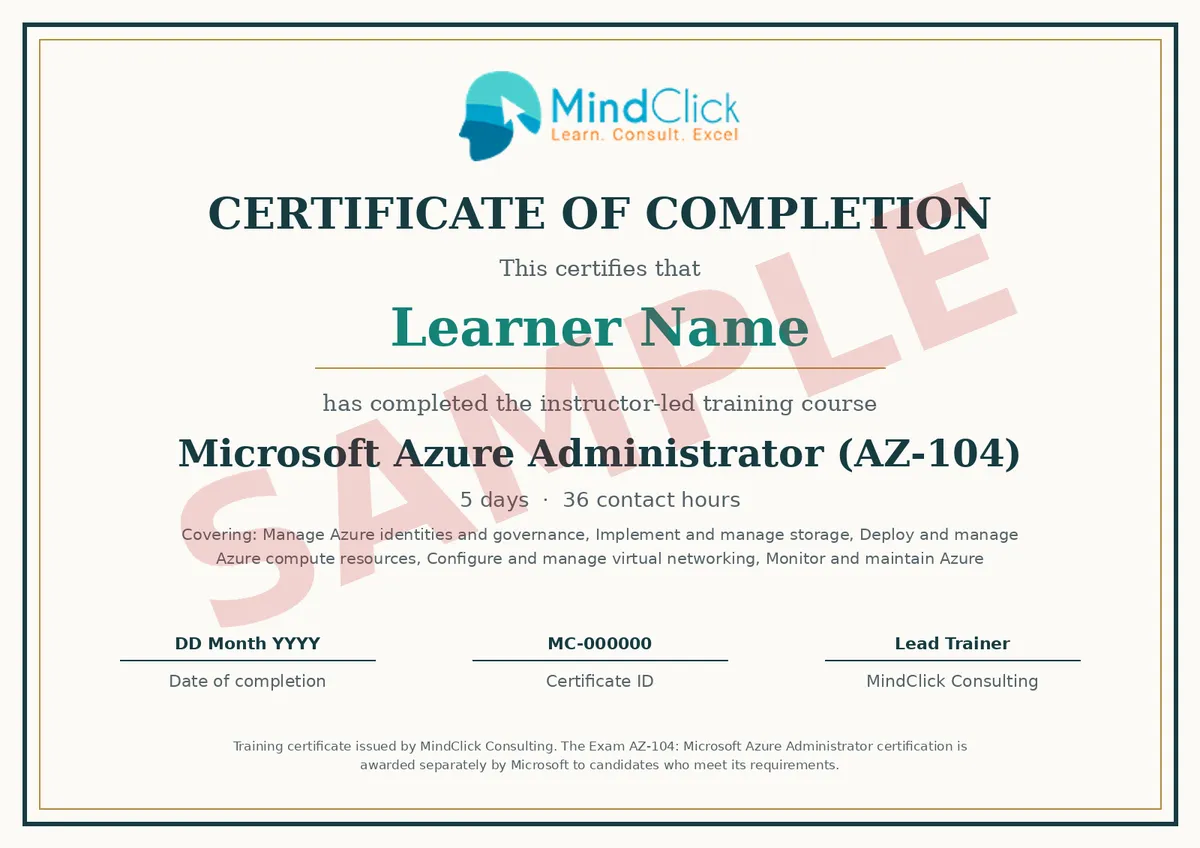
You earn two separate credentials. The sample shows the MindClick training certificate.
- MindClick certificate of completion: 5 days, 36 contact hours, issued to every attendee who completes the course.
- Exam AZ-104: Microsoft Azure Administrator: issued by Microsoft when you meet its requirements and pass the exam.
Before you choose your learning route
Session timings are indicative; the trainer may adjust them for the group. Exam details reflect the awarding body’s published information at the time of writing; confirm the current version when you book.
Microsoft owns this certification scheme. MindClick provides training and exam preparation and is not an accredited or authorised partner of Microsoft.
Fees
| Delivery format | Fee per learner | Exam fee |
|---|---|---|
| Live online | $2,800 USD | Included |
| Classroom | $4,500 USD | Included |
One awarding-body certification exam attempt is included in the training fee. Confirm the current fee, any applicable tax and what the fee covers in writing before you pay.
Prerequisites
- No formal prerequisites. Microsoft recommends at least six months of hands-on experience administering Azure, familiarity with core services, networking, Azure AD, and use of the Azure portal, PowerShell, or CLI. Bring a laptop capable of running a modern browser; a lab environment will be provided.
FIND YOUR START
Confirmed batch starts
Choose a published start, then review your offer in the same enrollment flow. A start date is not the full timetable or a seat reservation.
Choose your country & monthStarts
- Training location
- Dubai, United Arab Emirates
- Local timezone
- Asia/Dubai
Joining details and full session timetable to be supplied.
Starts
- Training location
- Vienna, Austria
- Local timezone
- Europe/Vienna
Joining details and full session timetable to be supplied.
Starts
- Training location
- Sydney, Australia
- Local timezone
- Australia/Sydney
Joining details and full session timetable to be supplied.
Starts
- Training location
- Brussels, Belgium
- Local timezone
- Europe/Brussels
Joining details and full session timetable to be supplied.
Starts
- Training location
- Manama, Bahrain
- Local timezone
- Asia/Bahrain
Joining details and full session timetable to be supplied.
Starts
- Training location
- São Paulo, Brazil
- Local timezone
- America/Sao_Paulo
Joining details and full session timetable to be supplied.
Frequently asked questions
How long is the course?
5 days, 36 contact hours, normally 09:00 to 16:30 with breaks. The agenda follows the exam domains and the final day includes a mock exam.
What is the exam format?
Exam AZ-104: Microsoft Azure Administrator: closed book, Online proctored or Pearson VUE test centre. Pass mark: 700/1000 (scaled score). Confirm the current version with the awarding body when you book.
Is the exam included?
Yes. Outside India the fee includes one certification exam attempt. Retakes are booked and paid directly with the awarding body.
Are there prerequisites?
No formal prerequisites. Microsoft recommends at least six months of hands-on experience administering Azure, familiarity with core services, networking, Azure AD, and use of the Azure portal, PowerShell, or CLI. Bring a laptop capable of running a modern browser; a lab environment will be provided.
What certificate will I receive?
Two credentials. MindClick issues a certificate of completion for 36 contact hours to every attendee. Microsoft issues the Exam AZ-104: Microsoft Azure Administrator certification when you pass the exam and meet its requirements. Certification valid for one year; renew annually by passing the free online renewal assessment before expiry..
Is MindClick an accredited training partner for this certification?
MindClick provides training and exam preparation and is not an accredited/authorised partner of Microsoft. The AZ-104 exam is administered by Microsoft via Pearson VUE and can be taken online proctored or at a test centre.
KEEP EXPLORING
More ways to move forward.
Related training from the course catalog.


AWS Solutions Architect Associate
Five-day course to design secure, resilient and cost‑effective AWS architectures through guided labs, case studies and focused exam practice.
AWS Certified Cloud Practitioner
This 2-day course builds cloud fluency through guided labs and case studies, covering concepts, core services, security, pricing, and exam practice.

Google Cloud Professional Cloud Architect
Over five days, design, build and secure scalable cloud architectures through guided labs, case studies and exam-focused practice.

Microsoft Azure Fundamentals (AZ-900) Preparation
3-day course to learn core Azure concepts, services, identity and governance with hands-on labs and exam-style practice for AZ-900.